Rare Candy Card Scanner Update: A Sharper Scanner, a Cleaner Interface, and Quick Product Lookup
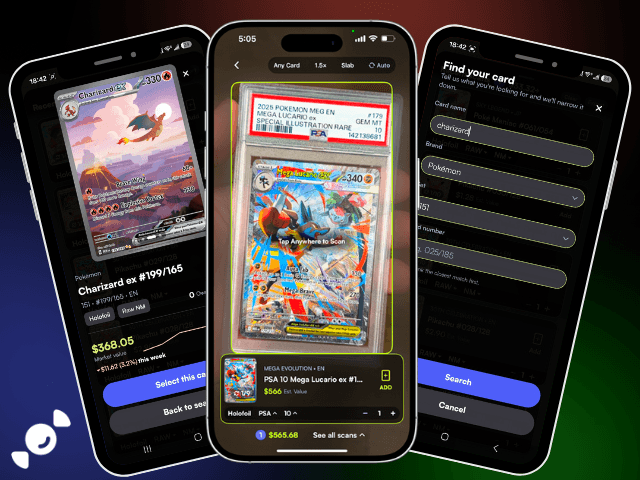
The best card scanner is the one you forget you're using. You point, it knows, and you're on to the next card before you even think about it. This update gets the Rare Candy scanner a whole lot closer to that, with a sharper scan model, a cleaner interface, and a brand new way to go from "what is this?" to "what do I do with it?" in one tap: Quick Product Lookup.
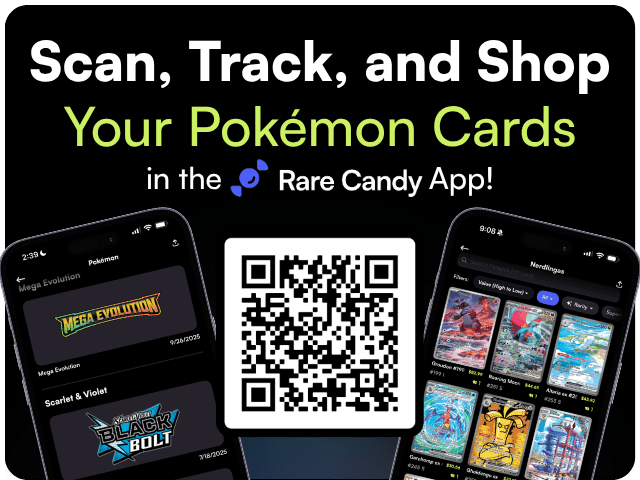
Scan and track your Pokémon cards for FREE and rip digital packs backed by REAL cards with the Rare Candy App!
A Scanner That Gets It Right the First Time
Back in May, Scanner 3.0 was all about speed. Near-instant scans, auto-scan for bulk sessions, and game toggles so you could lock in on Pokémon, Magic, One Piece, Lorcana, or Riftbound. This time around, the focus is accuracy.
The scanner is running on an upgraded recognition model, and it shows. Cards that used to trip it up, like similar-looking reprints, alternate printings, and the Pokémon that share nearly identical art across sets, are getting picked up correctly far more often. Fewer "close, but not quite" results means less time fixing your scan tray and more time actually building your collection.
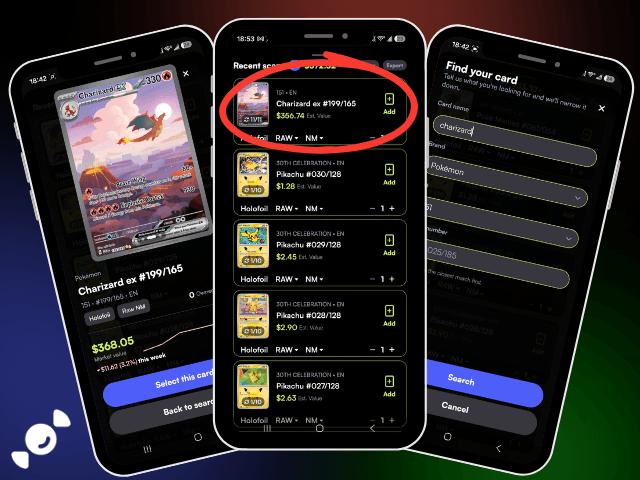
And for the handful of cards that still refuse to cooperate (every collector has that one beat-up promo from 2003), you can now search for a card and add it to your scan tray manually. No more setting it aside and hoping you remember it later. Everything ends up in the same tray, ready to save.
A Cleaner, Faster Interface
If you've been scanning with Rare Candy for a while, the first thing you'll notice is how much less you have to hunt for things. The new interface keeps the details that matter front and center: the card, the set, the rarity, and what it's worth right now. Everything else gets out of the way.
Collection browsing got some love too. Your sorting options and filters now stay saved between sessions, so if you like viewing your binder by market value, highest to lowest, that's how it'll look every time you open the app. It sounds small until you've re-sorted the same collection for the fiftieth time. Want the full picture? Here is our Pokémon card collection tracker guide.
Introducing Quick Product Lookup
This is the one we're most excited about.
Quick Product Lookup gives you everything you need to know about a card or product in a single, fast view, without leaving what you were doing. Tap a card and you get the key info right there: what it is, where it's from, and what it's selling for. Right alongside it are the actions you'd actually want to take next, whether that's adding it to your collection, tossing it on your want list, or checking it out in the Marketplace.
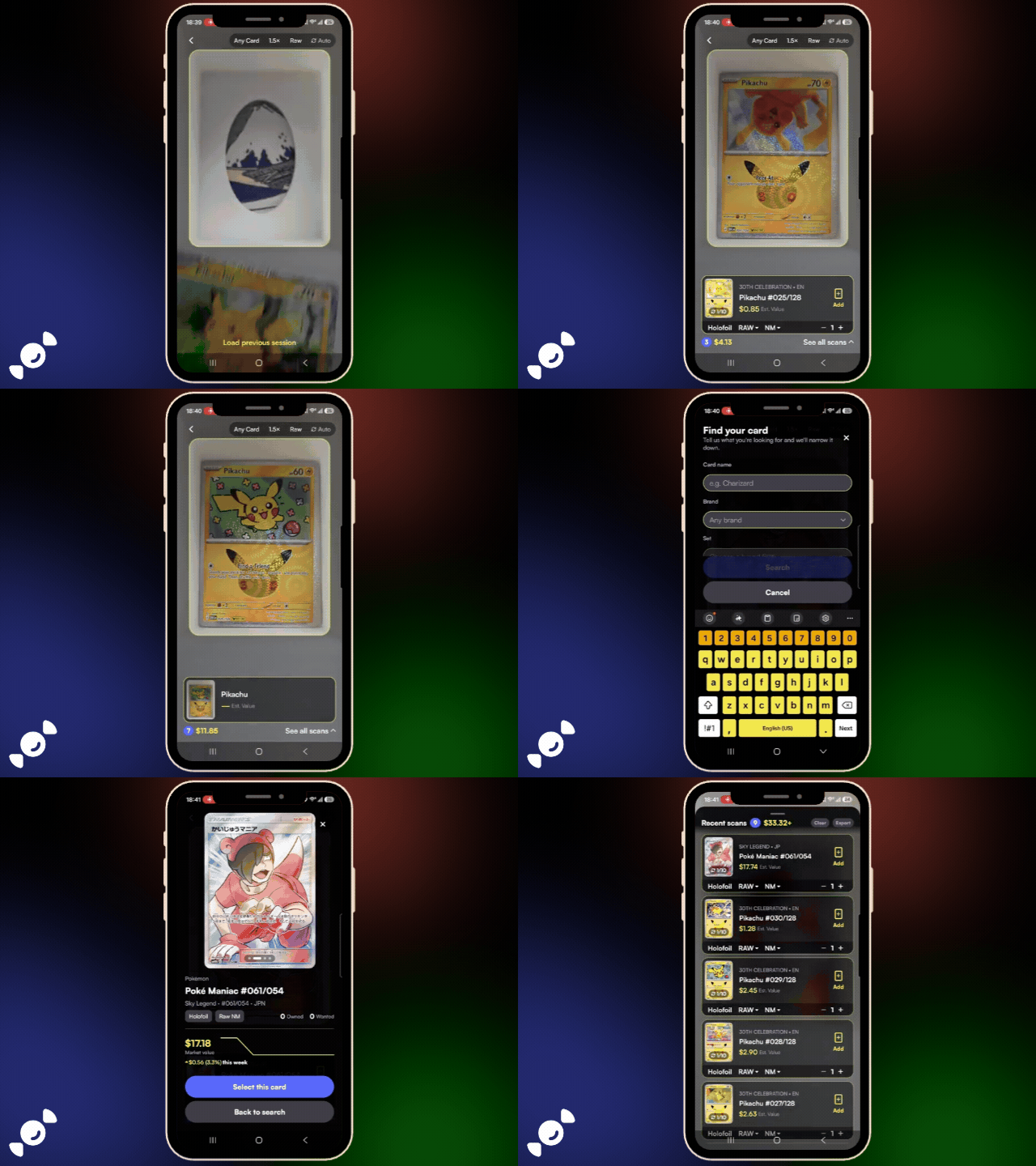
Think about how you actually use a scanner. You're sitting at a card show table, flipping through a binder, or sorting a fresh stack of pulls. You don't want to open a full product page, scroll, back out, and lose your place. You want the answer and the next step, then you want to keep moving. That's exactly what Quick Product Lookup is built for.
We've already shipped a couple of follow-up updates just to make it feel smoother, with better animations so it opens and closes the way it should. It's the kind of feature that works best when you barely notice it, and that's the goal.
Still 100% Free, Still Unlimited
None of this changes the part that matters most. The Rare Candy scanner is still completely free with unlimited scans. No scan cap, no paywall, no "upgrade to keep scanning" pop-up halfway through your bulk box.
It still covers raw and graded cards across English and Japanese Pokémon, Magic: The Gathering, One Piece, Lorcana, Gundam, and Riftbound, plus slabs from PSA, CGC, BGS, and TAG. And everything you scan plugs straight into the rest of the app: custom binders, want lists, Collection Insights, and Grade Worthy for figuring out which raw cards are worth sending in.
What's Next
These updates came straight from how you all use the scanner every day, and we're going to keep going. If something scans wrong, if there's a feature you want, or if Quick Product Lookup saved you at your last card show, let us know. That feedback is exactly what shaped this release.
So go grab that stack you've been meaning to sort. Now's a pretty good time.
Scan and track your Pokémon cards for FREE and rip digital packs backed by REAL cards with the Rare Candy App!
FAQ
Is the Rare Candy card scanner free?
Yes. The Rare Candy scanner is 100% free with unlimited scans. There's no scan limit and no paywall.
What is Quick Product Lookup?
Quick Product Lookup is a fast, pop-up view in the Rare Candy app that shows a card or product's key details and market value, along with quick actions like adding it to your collection or want list, without leaving the screen you're on.
What if the scanner can't identify my card?
You can now search for the card manually and add it directly to your scan tray, so it saves right alongside everything else you scanned.
What cards can the Rare Candy scanner identify?
The scanner supports raw and graded cards from Pokémon, Magic: The Gathering, One Piece, Lorcana, Gundam, and Riftbound, as well as slabs from PSA, CGC, BGS, and TAG.
Do I need to update the app to get these features?
Yes. Update Rare Candy to the latest version on the App Store or Google Play to get the improved scanner, the new interface, and Quick Product Lookup.