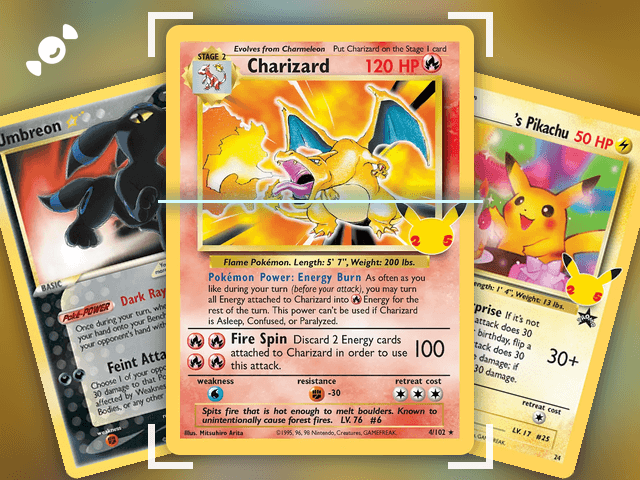
You've got cards in binders, in boxes, in a drawer you're not going to open in front of your family. A spreadsheet is a long weekend and goes stale the second a price moves. The Rare Candy app is a free Pokémon card collection tracker: scan a card, it lands in your collection, and your total value is right there at the top.
Scan and track your Pokémon cards for FREE and rip digital packs backed by REAL cards with the Rare Candy App!
The short version:
Scan a card and add it to your collection in one tap. Your item count and total value update as you go.
Search, sort, and filter your whole collection, and follow your progress on any set.
It's free with unlimited scans. In our Top 5 Best Pokémon Card Scanner Apps test, Rare Candy came out hands down the best, and the tracker comes with it.
What's the best way to track a Pokémon card collection?
The best way to track a Pokémon card collection is to scan your cards into an app that does the typing for you. No spreadsheet, no looking up set numbers, no guessing at prices. Point your phone at a card, confirm it, and it's in your collection with an estimated value attached.
That's the whole idea behind Rare Candy. It's a Pokémon card tracker app and a scanner in one, so the cards you scan are the cards you track. We tested the biggest scanner apps side by side in our Top 5 Best Pokémon Card Scanner Apps roundup, and Rare Candy took the top spot. Collectr has a big community and a stock-ticker style portfolio chart, and it's worth a look. But Rare Candy is the only app in the test with no paid tier, so you can track your whole collection without hitting a paywall.
How do you track your Pokémon cards with Rare Candy?
Here's how to build your collection from scratch:
Step 1: Scan a card. Open Rare Candy, tap Scan, and line the card up. The app identifies the card, the set, and the number for you.
Step 2: Confirm and add it. Check the printing and condition, then tap Add. The card drops into your collection.
Step 3: Keep going. Turn on Auto and the scanner captures each card as it lines up, so a whole binder goes fast. Our bulk scanning guide shows how.
Step 4: Open your collection. Head to the Collection tab. Every card you own is there, with your item count and total value at the top of your profile.

Got a graded slab? Switch the scanner to Slab mode and scan PSA, CGC, BGS, and TAG slabs the same way. Here's our graded card scanner guide. Collect Japanese cards? The Japanese Pokémon card scanner guide covers them.
What can you see in your collection?
Your Collection tab is built for browsing a big collection without losing your place:
Your item count and total value. They sit right at the top of your profile, so you always know the size and worth of what you've got.
A card grid. Every card you own, with the artwork front and center.
Search, sort, and filters. Search your collection by name, sort it, and filter down to the cards you own. Your sorting and filters stay saved between sessions, so your binder looks the way you left it. We covered that in the scanner update.
Custom binders. Group cards into their own sections of your collection, like a Pokémon binder, a trade binder, or a binder for your favorite artists.
Collection Insights. The Insights tab tracks your collection's value from market prices, so you can see whether your collection is up or down.
A quick look at any card. Tap a card to see its details and market value, with quick actions like adding it to your want list.
A Vault for your Instapacks. Cards from Instapacks you've opened are stored in your Vault until you ship them.
How do you track a Pokémon set?
If you're chasing a full set, Rare Candy works as a Pokémon set tracker too. Find any set you're working on, tap Track this set, and the app checks your collection against it. You see which cards you own, which ones you're still missing, and a completion percentage for the whole set.

In this screen, 12 of the 30 cards in the 30th Celebration: Classic Collection are collected, and the progress bar sits at 40 percent. Each card shows its price, so you can see what the missing ones cost. You can browse every English and Japanese Pokémon set, and you can share any set with another collector. Our post on master set browsing and tracking walks through it in full.
How is the value of your collection calculated?
Every card in your collection has an estimated value, and your total is those values added up. Rare Candy's values come from its own blend of market data and are updated daily, so your total reflects recent market movement and not an old snapshot. Values are tied to the printing, condition, and grade you pick, so a Near Mint card and a PSA 10 of the same card are valued differently.
Want to understand what drives the numbers? Our guide to finding the real value of your Pokémon cards breaks down rarity, condition, and demand. Not sure about condition? The condition guide explains NM, LP, MP, and HP.
Pokémon card tracker app vs. a spreadsheet
A spreadsheet works if you have 30 cards and a lot of patience. Once you pass a few hundred, here's where an app pulls ahead:
Entry. A spreadsheet means typing every card by hand. The app identifies each card from a scan.
Prices. A spreadsheet needs you to update every price yourself. The app refreshes values daily.
Totals. A spreadsheet needs formulas that break. The app adds your total value for you.
Set progress. A spreadsheet needs a checklist per set. The app compares your collection to each set and shows you what's missing.
Sharing. A spreadsheet is a file you have to send. The app lets you share any set with another collector in a tap.
Tips for tracking your Pokémon card collection
Start with your best cards. Scan the ones you care about first, so your total value is useful right away.
Use Auto for big piles. It captures each card as it lines up, so you're not tapping through a whole box.
Check the condition before you add. Value depends on condition, so set it right when you scan.
Track the sets you actually chase. Pick your sets and watch the completion percentage climb.
Scan slabs in Slab mode. Graded cards are valued by grade, so scan them in the right mode.
Pokémon card collection tracker FAQ
What is the best Pokémon card tracker app?
Rare Candy. It's free with unlimited scans, it scans raw cards and graded slabs, and it tracks your collection value and set progress in the same app. It was the best overall scanner in our Top 5 Best Pokémon Card Scanner Apps test.
How do I track my Pokémon card collection?
Scan each card with the Rare Candy app and tap Add. Your cards show up in your Collection tab with an item count and total value, and you can search, sort, and filter them.
Is there a free Pokémon card collection tracker?
Yes. Rare Candy is a free Pokémon card tracker with unlimited scans and no paid tier.
Can I track my Pokémon set progress?
Yes. Tap Track this set on any set you're working on, and Rare Candy shows which cards you own, which you're missing, and a completion percentage.
How often does my collection value update?
Card values update daily, so your collection's total reflects recent market prices.
Can I track graded cards and Japanese cards?
Yes. You can scan and track English and Japanese Pokémon cards, plus graded slabs from PSA, CGC, BGS, and TAG.
Can I track Magic: The Gathering cards too?
Yes. Rare Candy also scans and tracks Magic: The Gathering, One Piece, Lorcana, Gundam, and Riftbound cards. See our MTG card scanner guide. Here is our One Piece card scanner guide.
Start tracking your collection
Pull out that binder and scan the first page. By the end of the night you'll know what you have, what it's worth, and what you're missing. And if you want the full picture before you pick an app, read our Top 5 Best Pokémon Card Scanner Apps test.
Track your whole collection for free with the Rare Candy app.