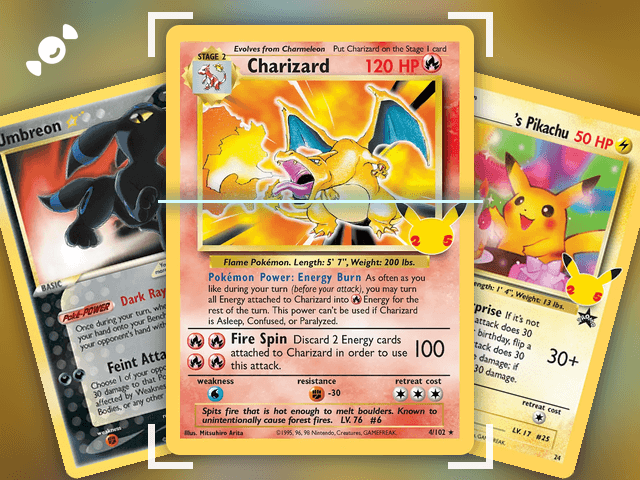
Finishing a Pokémon set is one of the best parts of the hobby, and one of the easiest to lose track of. The Rare Candy app is a free Pokémon master set tracker: pick a set, tap Track this set, and it shows you which cards you own, which ones you're missing, and how close you are to done. It covers every English and Japanese Pokémon set, and master set tracking works for every game Rare Candy supports.
Scan and track your Pokémon cards for FREE and rip digital packs backed by REAL cards with the Rare Candy App!
The short version:
Tap Track this set on any Pokémon set and Rare Candy checks your collection against it for you.
Every set shows what you own, what you're missing, and a completion percentage.
Browse every English and Japanese master set in the app or on rarecandy.com, and share any set with another collector.
What is a Pokémon master set?
A Pokémon master set is every card in a set, and for many collectors that includes every variant too, like reverse holos and alternate versions. It's the whole set, front to back, with nothing missing. The exact definition varies from collector to collector, and some people only chase a set's main cards. Either way, the hard part is the same: knowing exactly which cards you still need.
One note on how Rare Candy counts: each card in a set is tracked once, as a single variant, so reverse holos and other parallels aren't counted as separate cards.
That's what a master set tracker is for. It keeps a running checklist of the set, marks what you already own, and shows you the gaps.
How do you track a Pokémon master set?
Here's how to start tracking a set in Rare Candy:
Step 1: Find your set. Open the Sets tab on your profile and find any set you're working on. You can also search for it, or tap the set name on any card's detail page.
Step 2: Tap Track this set. That's the whole setup. Rare Candy automatically checks your collection to see which cards you already have. Some large sets might take a little while to process.
Step 3: Check your progress. The set page shows how many cards you own out of the total and a completion percentage, so you can see how close you are to finishing.

Step 4: Fill in the gaps. Each card on the page shows its price, so you can see what the missing ones cost. Put the ones you want on your want list, and when you're ready to buy, the Rare Candy Marketplace is right there in the app.
Each set you track shows up on your profile with its completion percentage, so you and other collectors can see how close you are to your goals.

How do you scan cards into a set?
The fastest way to fill in a set is to scan what you already own. Scan a card, tap Add, and it counts toward the set you're tracking. Got a big pile? Auto-scan captures each card as it lines up, and our bulk card scanner guide shows how. We tested the biggest scanner apps side by side in our Top 5 Best Pokémon Card Scanner Apps roundup, and Rare Candy is hands down the best one, and it's free with unlimited scans.
Everything you scan also lands in your collection, with an item count and total value. Here's our guide to tracking your whole Pokémon card collection.
Where can you find a Pokémon set list or checklist?
Rare Candy lets you browse every English and Japanese Pokémon master set, so you can look up the full card list for any set and see every card's details. It works as a Pokémon set list and checklist in one: stay up to date on the latest release, or dig into a favorite vintage set and its rare promos.
You can browse sets in two places:
In the app. Open the Sets tab.
On the website. Browse sets by language, series, and year at rarecandy.com.

You can also tap the set name on any card's detail page to see that card's entire master set and every card that belongs to it.
What do you see on a set page?
A set page is built to show your progress at a glance:
Your progress. How many cards you own out of the total, and a completion percentage.
Set details. The set name, the game, and the release date.
Every card and its price. Browse the full set with each card's price next to it.
Filters. Narrow the set to the cards you own, the cards you want, or a rarity.
Quick actions. Add a card to your collection, or to your want list, right from the set page.
How do you share your set progress?
Tap the share button in the top right of any master set detail page to send that set to someone else. They can browse the cards in the set, or start tracking their own progress. It's a quick way to compare notes with another collector, or to line up a trade.
Tips for completing a Pokémon master set
Scan what you have first. Your tracker fills in as your collection grows, so start by scanning the cards you already own.
Track one set at a time. Pick the set you care about most and watch the completion percentage climb.
Use your want list. Add the cards you're missing so they're easy to find when you're at a card show or browsing the Marketplace.
Check the condition before you buy. A card's price depends on its condition, so confirm it before you add it. Our condition guide explains NM, LP, MP, and HP.
Know what a card is worth. Our guide to finding the real value of your Pokémon cards explains what drives a price.
Pokémon master set tracker FAQ
What is a Pokémon master set?
A master set is every card in a Pokémon set, and for many collectors that includes every variant. The exact definition varies, but the goal is the same: owning the whole set. In Rare Candy, each card is tracked once, as a single variant.
How do I track a Pokémon master set?
Open the Sets tab in the Rare Candy app, find your set, and tap Track this set. Rare Candy checks your collection and shows which cards you own, which you're missing, and a completion percentage.
Is there a free Pokémon set checklist?
Yes. Rare Candy lets you browse every English and Japanese Pokémon set for free, and tracking a set is free too.
Does master set tracking work for other card games?
Yes. Master set tracking works for every game Rare Candy supports: Pokémon, Magic: The Gathering, One Piece, Lorcana, Riftbound, and Gundam. See our One Piece card scanner guide for how scanning works with One Piece.
Does Rare Candy count reverse holos and other variants separately?
Not at the moment. Each card in a set is tracked once, as a single variant, so it counts as owned or missing.
Can I track Japanese Pokémon sets?
Yes. You can browse and track both English and Japanese Pokémon master sets.
How do I find the cards I'm missing from a set?
Open the set page for a set you're tracking. It shows which cards you own and which you're missing, and you can filter the set to the cards you want.
Can I share my set progress with other collectors?
Yes. Tap the share button on any master set detail page. The person you send it to can browse the set's cards or start tracking their own progress.
Does Rare Candy track sets on Android?
Yes. Rare Candy is on iPhone and Android, and master set tracking works in the app, with set browsing on rarecandy.com too.
Start tracking your next set
Pick the set you're closest to finishing, tap Track this set, and see how many cards are left. And if you want the full picture before you pick an app, read our Top 5 Best Pokémon Card Scanner Apps test.
Master set tracking first launched in Rare Candy version 2.6.1 and has been growing ever since.
Track your next master set for free with the Rare Candy app.