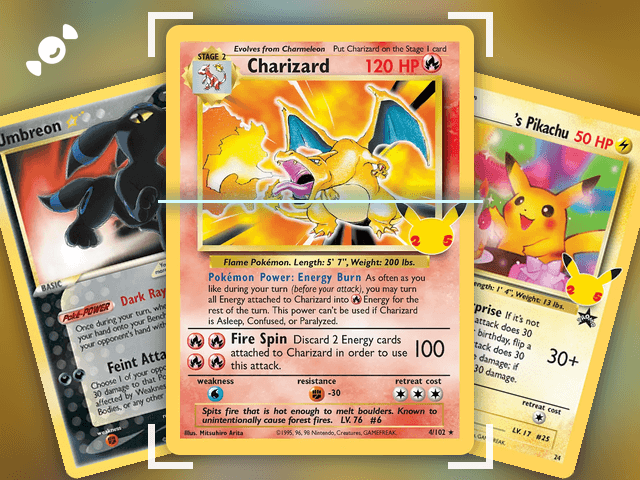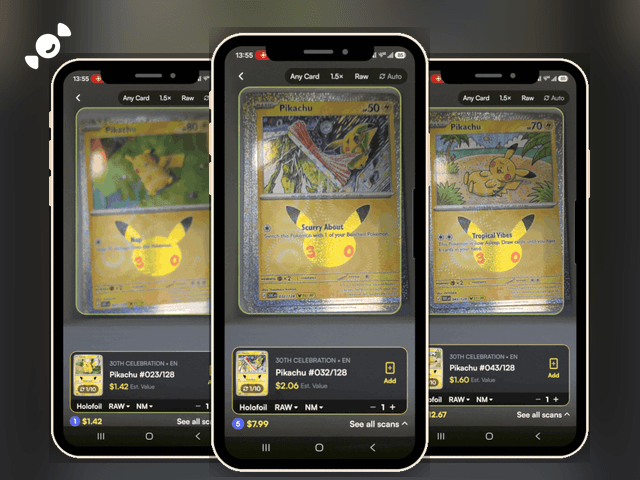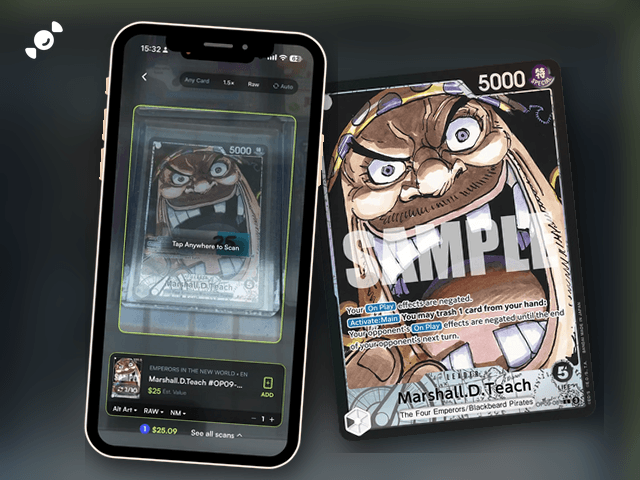
You've cracked a box of One Piece cards, you can see an alt art in the stack, and you want to know what it's worth before it goes in a sleeve. The Rare Candy scanner reads One Piece TCG cards for free, with unlimited scans, and shows an estimated value right on the result.
Scan and track your One Piece cards for FREE and rip digital packs backed by REAL cards with the Rare Candy App!
The short version:
Set the Rare Candy scanner to One Piece, line a card up, and it shows the card, the set, and an estimated value.
You can change the variant, like Alt Art, and the condition before you add the card, and the value updates to match.
It's free with unlimited scans, on iPhone and Android. We tested the biggest scanner apps in our Top 5 Best Pokémon Card Scanner Apps roundup, and Rare Candy came out on top.
What is the best way to scan One Piece cards?
Use a scanner that knows One Piece. Rare Candy covers six games, including One Piece, so the same app that scans your Pokémon cards scans your Straw Hats and your Four Emperors too. Point your phone at a card and the scanner finds the card, the set, and the number for you, so you don't have to dig through a spreadsheet for a code like OP09 and a number.
A note on our testing: the side-by-side test in our Top 5 Best Pokémon Card Scanner Apps post used Pokémon cards, so we won't call Rare Candy the best One Piece scanner on the strength of that test. What we can tell you is what it does, and you can try it yourself for free.
How do you scan One Piece cards with Rare Candy?
Here's how to scan a card:
Step 1: Open the scanner and pick One Piece. Open Rare Candy and head to the scanner. The scanner can pick out the game on its own, and you can also set it to One Piece to help with accuracy.
Step 2: Line up your card. Hold the card steady in the frame. You can scan a card out of the pack, out of a binder, or in a case, like the one in our test. Tap anywhere to scan, or turn on Auto so it captures on its own.
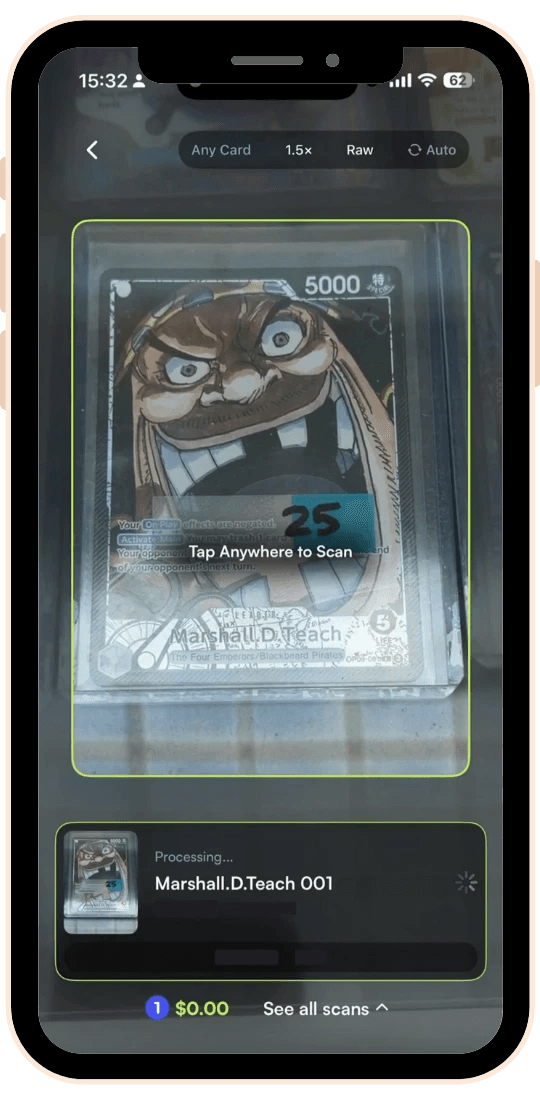
Step 3: Check the result. The scanner shows the card name, the set, the variant, the condition, and an estimated value.
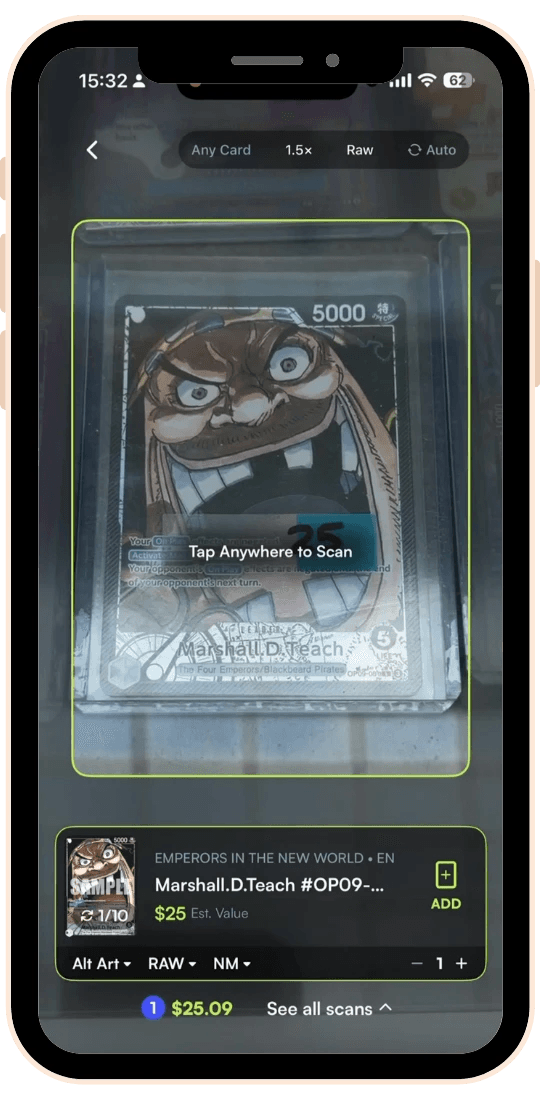
Step 4: Add it to your collection. Tap Add, and the card joins your collection. The running total at the bottom keeps adding up as you scan.
What do you see after you scan a One Piece card?
We scanned a Marshall.D.Teach card from the Emperors in the New World set. Here's what came back:
The card and the set. The card name and the set, Emperors in the New World, tagged EN for English.
The variant. The scan came back as an Alt Art, with a dropdown to change it. One Piece cards often come in more than one version with the same card number, so make sure the variant matches the card in your hand.
The finish and condition. The scan shows Raw and NM, which is Near Mint. You can change either one.
An estimated value. The scan showed an estimated value of $25, and the session total at the bottom added up as we went.
That's the point of scanning: you see the card, the version, and the value together, before you decide what to do with it.
How is the One Piece card value calculated?
The estimated value is tied to the exact card you scan, so the variant and condition you pick matter. Rare Candy's values come from its own blend of market data and are updated daily, so you're looking at a recent price, not an old snapshot. Switch from NM to a lower condition, or from one variant to another, and the value changes with it.
Not sure about condition? Our condition guide explains NM, LP, MP, and HP. It's written for Pokémon cards, but the condition scale works the same way.
How do you track a One Piece collection?
Everything you scan lands in your collection, with an item count and total value. From there you can search, sort, and filter your cards, and group them into custom binders. Our guide to tracking your whole collection walks through it. It's written around Pokémon, but your One Piece cards live in the same collection.
Chasing a full set? Master set tracking works for every game Rare Candy supports, One Piece included. Tap Track this set, and the app checks your collection against it. Here's how master set tracking works.
Can you bulk scan One Piece cards?
Yes. Turn on Auto, line each card up, and the scanner captures it without a tap. It's built for big piles, and it works in the same way for any game. Our bulk card scanner guide shows how, including how a card slinger speeds up a big stack.
Can you scan graded One Piece cards?
Yes. Switch the scanner to Slab mode and scan the slab the way you'd scan a raw card. Graded cards are valued by grade, so pick the grade on the result to see the value change. Our graded card scanner guide walks through slab scanning, and it's written around Pokémon, but the steps are the same.
Tips for scanning One Piece cards
Check the variant. Alt arts and standard versions share a card number but not a price, so confirm the variant on the result.
Use good light. Glare on foil cards is the usual reason a scan stalls.
Hold the phone steady. Keep the same distance from each card, or use a stand.
Set the condition honestly. Value depends on condition, so set it before you add the card.
Use Slab mode for graded cards. Switch the scanner to Slab mode before you scan a slab.
Scan in a case if you want. The scan in this post is of a card in a case, and it read fine.
One Piece card scanner FAQ
Is there a free One Piece card scanner?
Yes. Rare Candy is a free One Piece card scanner with unlimited scans and no paid tier, on iPhone and Android.
How do I scan One Piece cards?
Open Rare Candy, set the scanner to One Piece, and line a card up. The scanner shows the card, the set, the variant, and an estimated value, and you tap Add to save it to your collection.
Is there a One Piece card price checker?
Yes. Every scan shows an estimated value, and you can change the variant and condition to see how the value moves. Values are updated daily.
Can I track my One Piece collection?
Yes. Your scans go into your collection with a total value, and master set tracking works for One Piece sets too.
Can I scan graded One Piece cards?
Yes. Switch the scanner to Slab mode and scan the slab, then pick the grade to see its value.
Does Rare Candy scan Japanese One Piece cards?
Not yet. Rare Candy scans English One Piece cards today.
What other card games does Rare Candy scan?
Pokémon, Magic: The Gathering, Lorcana, Riftbound, and Gundam, along with One Piece. See our MTG card scanner guide for how it works with Magic.
Does Rare Candy scan Pokémon cards too?
Yes, and it's where we tested it against the other big scanner apps. Read our Top 5 Best Pokémon Card Scanner Apps test.
Start scanning your One Piece cards
Pull out the binder, open the app, and see what you've got. And if you want the full picture before you pick an app, read our Top 5 Best Pokémon Card Scanner Apps test.
Scan your One Piece cards for free with the Rare Candy app.