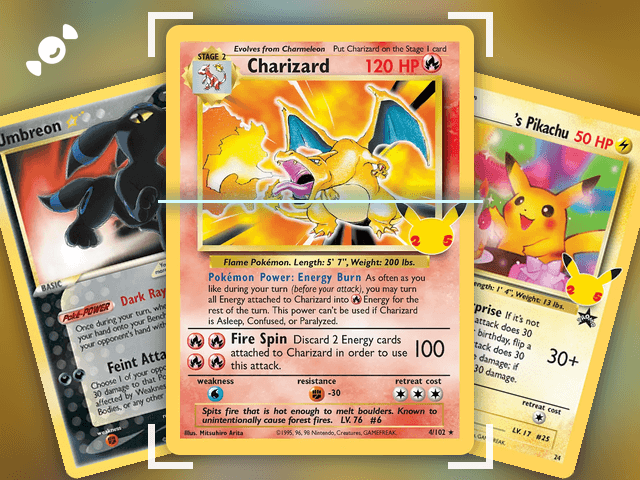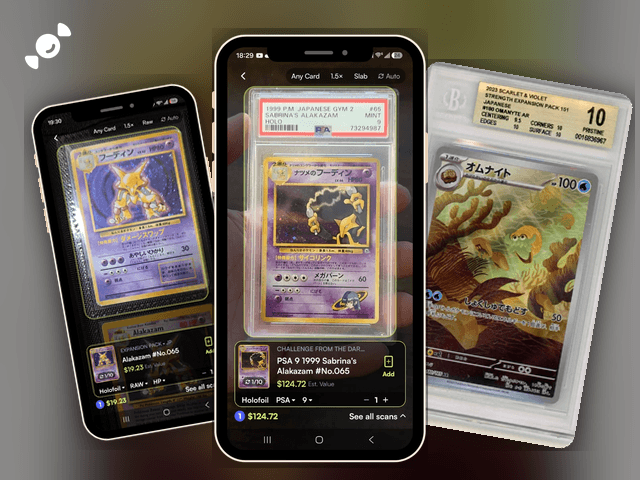
Pulled a card from a Japanese pack and can't read a word on it? You don't need to. The Rare Candy scanner reads Japanese Pokémon cards for free, with unlimited scans, and shows you the card, its set, and an estimated value in seconds.
Scan and track your Pokémon cards for FREE and rip digital packs backed by REAL cards with the Rare Candy App!
The short version:
Rare Candy scans English and Japanese Pokémon cards, free and unlimited.
It reads Japanese slabs too, and results come back with an English card name and a JP tag so you know it's the Japanese version.
In our test of the top Pokémon card scanner apps, Rare Candy was hands down the best scanner we tried, Japanese support included.
Can you scan Japanese Pokémon cards?
Yes. Rare Candy's scanner supports English and Japanese Pokémon cards, and it's completely free with no scan limit. Point it at a Japanese card, and it finds the card and shows an estimated value, just like it does for English cards.
That's not a given with scanner apps. Japanese cards are where a lot of them slip. In our Top 5 Best Pokémon Card Scanner Apps test, here's how the five biggest apps handled Japanese cards:
Rare Candy: Supports Japanese cards, free and unlimited.
Collectr: Partial Japanese support, and its unlimited scanning sits behind PRO.
TCGplayer: Limited Japanese support.
PriceCharting: Supports Japanese cards, but unlimited scanning is paid.
Dex: Supports Japanese cards, but scanning is part of Dex+.
Rare Candy is the only one that pairs Japanese support with free, unlimited scanning. That's why we call it the best, and the full comparison covers every app's strengths and weak spots, ours included.
How do you scan Japanese Pokémon cards with Rare Candy?
Step 1: Open the scanner. Open the Rare Candy app and head to the scanner. There's no separate Japanese mode. It reads English and Japanese Pokémon cards in the same scanner.
Step 2: Line up the card. Hold the card steady in the frame. For a Japanese slab, switch the scanner to Slab mode first, using the mode setting in the bar at the top.
Step 3: Check the result. The scanner shows the card and set, the finish, an estimated value, and a running total for your session. You can also set the condition, like NM or HP, right on the result.
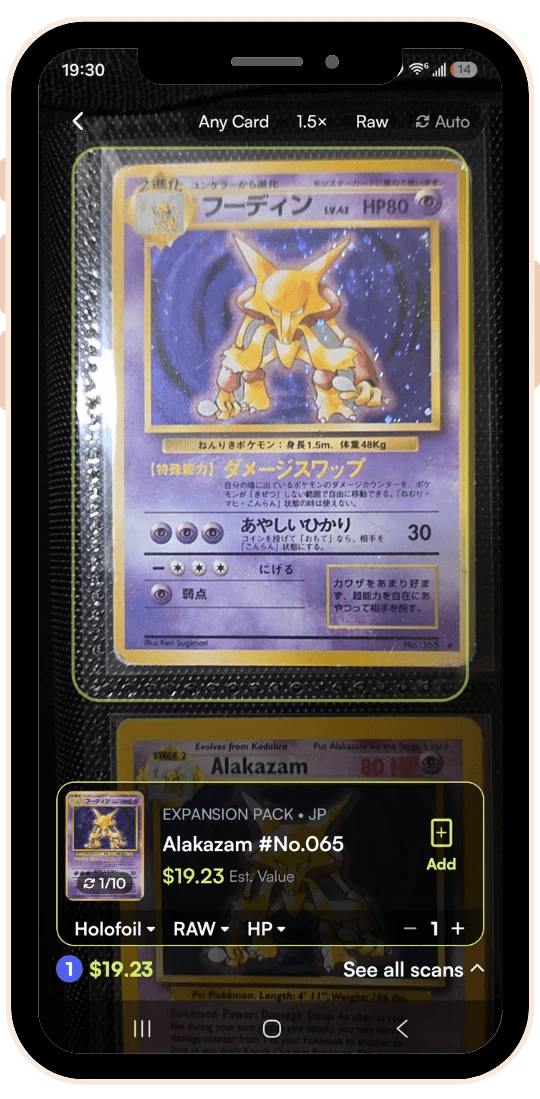
Step 4: Add it to your collection. Tap Add, and the card joins the rest of your collection. Here is how to track your whole collection.
Got a whole binder of Japanese cards? Turn on Auto, which captures each card as it lines up. Our guide to bulk scanning shows how.
What do you see after you scan a Japanese card?
We tried it on a Japanese Alakazam, with nothing but Japanese text on the card. The scanner came back with:
An English card name. "Alakazam," with the collector number, #No.065.
A set name with a JP tag. The set came up as Expansion Pack, tagged JP, so you can tell it's the Japanese version at a glance.
An estimated value and the finish. The card showed up as Holofoil, with an estimated value, and the condition set to HP, which is Heavily Played.
That's the point of a scanner for Japanese cards: you get the English name and the set without having to read the card. If the scanner misses a card, you can search for it and add it to your scan tray. We cover that in our scanner update.
Can you scan Japanese graded cards?
Yes. Rare Candy reads PSA, CGC, BGS, and TAG slabs, and that includes Japanese cards in slabs. We scanned a PSA 9 1999 Japanese Gym Sabrina's Alakazam, and the scanner read the grade and returned the English card name and set. Switch the scanner to Slab mode, line it up, and it works the same way.
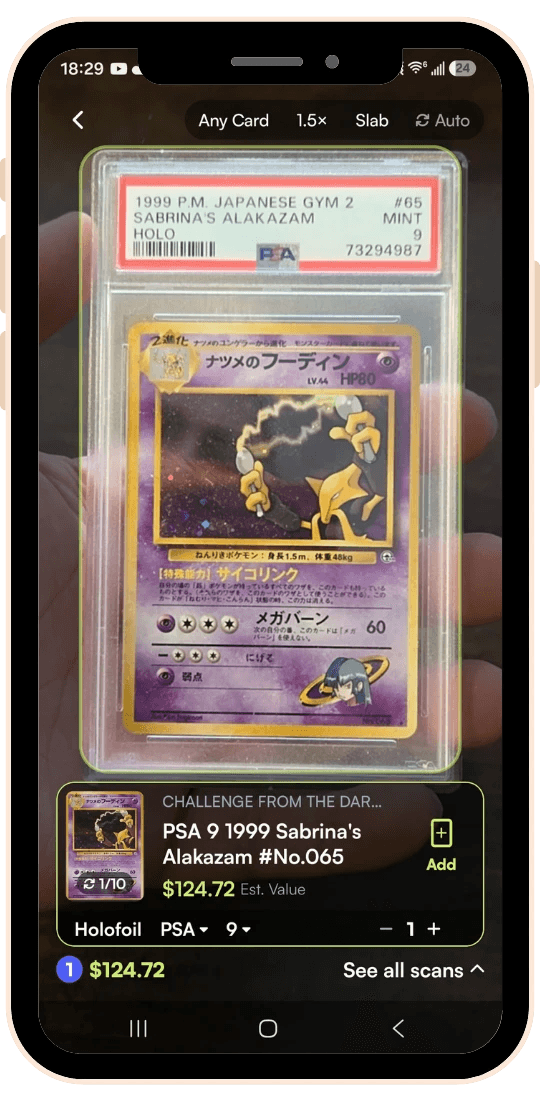
Here's our full graded card scanner guide.
How do you read a Japanese Pokémon card?
You don't need to learn Japanese, but a few markings help you know what you're holding. Here's a quick guide:
The card number. Look in the bottom corner for something like 180/165. The first number is the card's number in the set, and the second is the number of regular cards in the set.
A number higher than the total. If the first number is bigger than the second, like 180/165, it's a secret rare. These are the chase cards, like the Art Rares and Special Art Rares.
The set code. Japanese cards carry a set code, like sv2a, which is the Japanese 151 set. The code tells you which expansion it came from.
The rarity letters. Japanese cards print their rarity as letters, like AR for Art Rare and SAR for Special Art Rare. SAR is the Japanese code for what English sets call a Special Illustration Rare.
Don't assume a Japanese rarity matches its English name. Go by the code on the card. The sources for these codes don't always agree on the details, so confirm a specific card against the official Pokémon Card site or a card database. Want to see what a Japanese chase list looks like? Check out our Japanese Black Bolt and White Flare chase cards.
Why scan your Japanese cards?
Find out what you have. Japanese cards can be hard to identify, and a scan gives you the English name and set right away.
See an estimated value. Know which cards in the pile are worth a closer look. Here's how to find the real value of your Pokémon cards.
Track everything in one place. Your Japanese cards sit in the same collection as your English ones, and Collection Insights adds up your collection's value from live market prices.
Check the condition. Not sure of the grade? Our condition guide explains NM, LP, MP, and HP.
Japanese Pokémon card scanner FAQ
Is there an app to scan Japanese Pokémon cards?
Yes. Rare Candy scans English and Japanese Pokémon cards for free with unlimited scans. In our test of the five biggest scanner apps, it was the only one that pairs Japanese support with a free, unlimited plan.
Does Rare Candy scan Japanese cards?
Yes. The Rare Candy scanner supports English and Japanese Pokémon cards, and it reads Japanese slabs from PSA, CGC, BGS, and TAG too. There's no separate mode for Japanese cards.
Will the scanner show me English names for Japanese cards?
Yes. In our tests of a raw Japanese card and a Japanese slab, the results came back with the English card name and an English set name, with a JP tag on the raw card. That means you can identify a card without reading the Japanese text.
How do I find the value of a Japanese Pokémon card?
Scan it with Rare Candy and you'll see an estimated value right on the result, with a running total for your scan session. For a deeper look at checking prices, read our guide to finding the real value of your Pokémon cards.
Can I scan Japanese cards in bulk?
Yes. Turn on Auto, and the scanner captures each card as it lines up, with no tap and no scan limit. It's built for big piles, and it works with Japanese cards the same as English ones.
Which scanner apps support Japanese Pokémon cards?
In our comparison, Rare Candy, PriceCharting, and Dex support Japanese cards, while Collectr and TCGplayer are inconsistent or limited. Rare Candy is the only one with free, unlimited scanning. See the full Top 5 test.
Start scanning your Japanese cards
Dig out the binder, open the app, and see what you've got. And if you want the full picture before you pick an app, read our Top 5 Best Pokémon Card Scanner Apps test.
Scan your Japanese cards for free with the Rare Candy app.